A full video guide on how to install ComfyUI locally
Text support with a community page access during the learning period
Custom ComfyUI workflows for every use case
What people are saying
Feedback from course participants.
As someone outside the ArchViz space, I was blown away by how much I could take away from this course. The tips and use cases are practical, adaptable, and incredibly high-value. It’s a masterclass in efficient 3D workflow.
Lithuania
I think this is the best course for anyone who has no idea how comfy works. I open first time comfy with this course only, still able to understand everything clearly. thank you fadi for this amazing course and I would suggest everyone who just want to push start their journey in comfyui. great explanations and examples. thank you for this course.
India
I appreciated the course for its content and its practice-based teaching method. Very interesting, thank you.
Italy
I’ve been using Nano Banana for quite some time to create my archviz images. It works well, and I was genuinely happy with it at first. But once you’re deep in production and need to generate a lot of test images, the costs start to add up. Credits can increase quickly. On top of that, Nano Banana also has some clear limitations. Placing a piece of furniture exactly where you want it, with the correct scale and perspective, can sometimes be challenging. In the end, you usually get there, but clients often want that extra level of precision. A chair that needs to be rotated slightly, a sofa that has to move just a few centimeters… and suddenly you’re back in the loop again. In this course, Fadi explains step by step how to solve these kinds of problems much more efficiently with his workflow. Inpainting in 5K? No problem. Placing people realistically and exactly where you want them? Also no problem. You gain far more control over your images without having to regenerate everything over and over again. I’ve taken several of Fadi’s courses, and none of them disappointed me, but this one is truly next level. I highly recommend this course to both beginners and more advanced users. Whether you’re just starting with AI in architecture or already using it in your daily workflow, you’ll definitely learn techniques that will improve your efficiency and give you more creative control.
Netherlands
I liked this course. It went in depth explaining not only how but also why certain things are done in each workflow. Only think I can complain is the image quality of the player constantly lowering my resolution.
Czech Republic

Free Bonus: Ultimate Upscale 1.0
$59 Value for free! This is a ComfyUI Custom Workflow _ Run locally / Cloud Stable at 2K, 4K, and 8K. Capable of delivering up to 11K. ** This workflow performs well in keeping consistency of textures and forms, especially for interior and exterior architectural scenes _ You should provide a clean base image (nothing already weird or distorted) ** By default, it goes from 1024 → 8192 px. Feel free to adjust the settings if you need a higher resolution.
Master Qwen-Image-Edit
-
1
CHAPTER_0_Install and General introduction
-
(Included in full purchase)
How to install ComfyUI locally
-
(Included in full purchase)
General Introduction To ComfyUI Workflow
-
(Included in full purchase)
Setup Qwen_Edit Workflow
-
(Included in full purchase)
Explain and Present the Qwen_Edit Workflow
-
(Included in full purchase)
-
2
CHAPTER_1_SKETCH TO RENDER
-
(Included in full purchase)
LESSON MATERIALS
-
(Included in full purchase)
Exterior_Use case_Part1
-
(Included in full purchase)
Exterior_Use case_Part2
-
(Included in full purchase)
Interior_Use case_Part1
-
(Included in full purchase)
Interior_Use case_Part2
-
(Included in full purchase)
-
3
CHAPTER_2_FURNITURE INTEGRATION
-
(Included in full purchase)
LESSON MATERIALS
-
(Included in full purchase)
Generated Scene_ Part_01
-
(Included in full purchase)
Generated Scene_ Part_02
-
(Included in full purchase)
Generated Scene_ Part_03
-
(Included in full purchase)
Custom Scene_ Part_01
-
(Included in full purchase)
Custom Scene_Part_02
-
(Included in full purchase)
-
4
CHAPTER_3_CAMERA CONTROL
-
(Included in full purchase)
LESSON MATERIALS
-
(Included in full purchase)
[PROMPT] CAMERA CONTROL
-
(Included in full purchase)
[3D MODEL] CAMERA CONTROL
-
(Included in full purchase)
-UPDATE-1- [LORA] CAMERA CONTROL
-
(Included in full purchase)
-
5
CHAPTER_4_RE-LIGHTING
-
(Included in full purchase)
LESSON MATERIALS
-
(Included in full purchase)
RE-LIGHT SCENE_INTERIORS/EXTERIORS
-
(Included in full purchase)
-
6
CHAPTER_5_PEOPLE INTEGRATION
-
(Included in full purchase)
LESSON MATERIALS
-
(Included in full purchase)
PEOPLE INTEGRATION
-
(Included in full purchase)
-
7
CHAPTER_6_EDIT AND INPAINTING
-
(Included in full purchase)
LESSON MATERIALS
-
(Included in full purchase)
PROMPT AND ANNOTATIONS
-
(Included in full purchase)
LATENT MASK CONTROL
-
(Included in full purchase)
INPAINTING WORKFLOW_PART1
-
(Included in full purchase)
INPAINTING WORKFLOW_PART2
-
(Included in full purchase)
-
8
BONUS : Ultimate Upscale
-
(Included in full purchase)
Ultimate Upscale
-
(Included in full purchase)
ULTIMATE UPSCALE_Workflow Installation
-
(Included in full purchase)
-
9
Q&A Live session January 31th
-
(Included in full purchase)
Recording_PART1
-
(Included in full purchase)
Recording_PART2
-
(Included in full purchase)
Recording_PART3
-
(Included in full purchase)
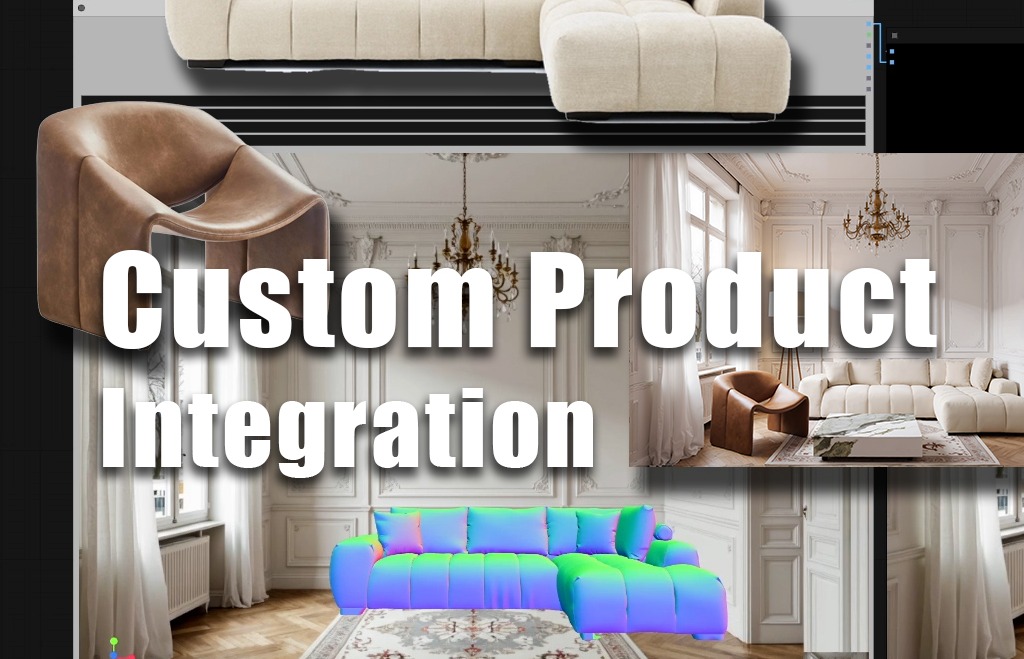
Custom Product Integration
Replace or insert furniture using real reference images, using custom space

Multi-camera views from Flat image
Generate multi-camera views from a single flat image (not just left, right, above view … much more control based on 3D reference technique)

People Placement
Integrate people with custom outfits, poses, and positioning
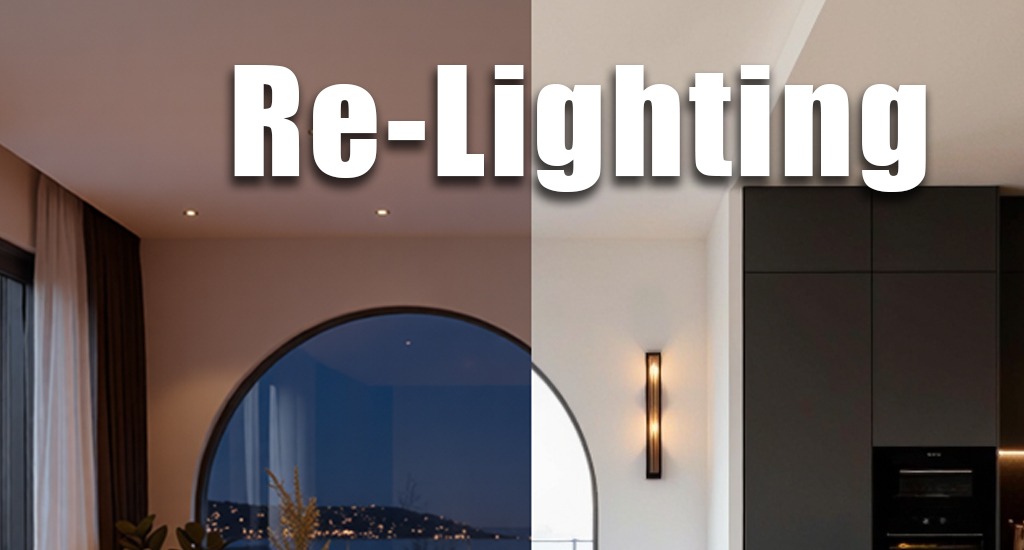
Scene Relighting
Perform advanced scene re-lighting (interior & exterior)
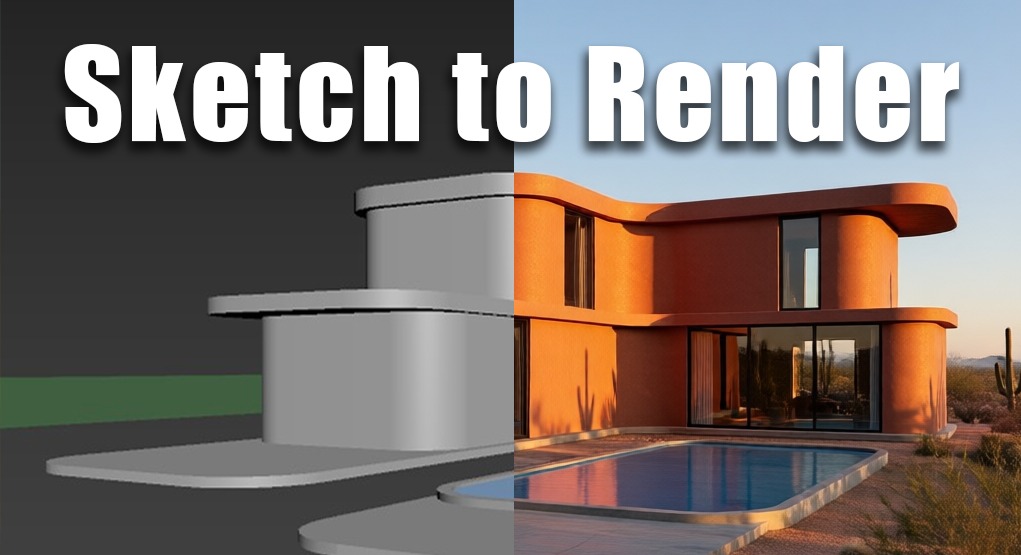
Sketch to Render
Convert simple sketches into high-quality renders
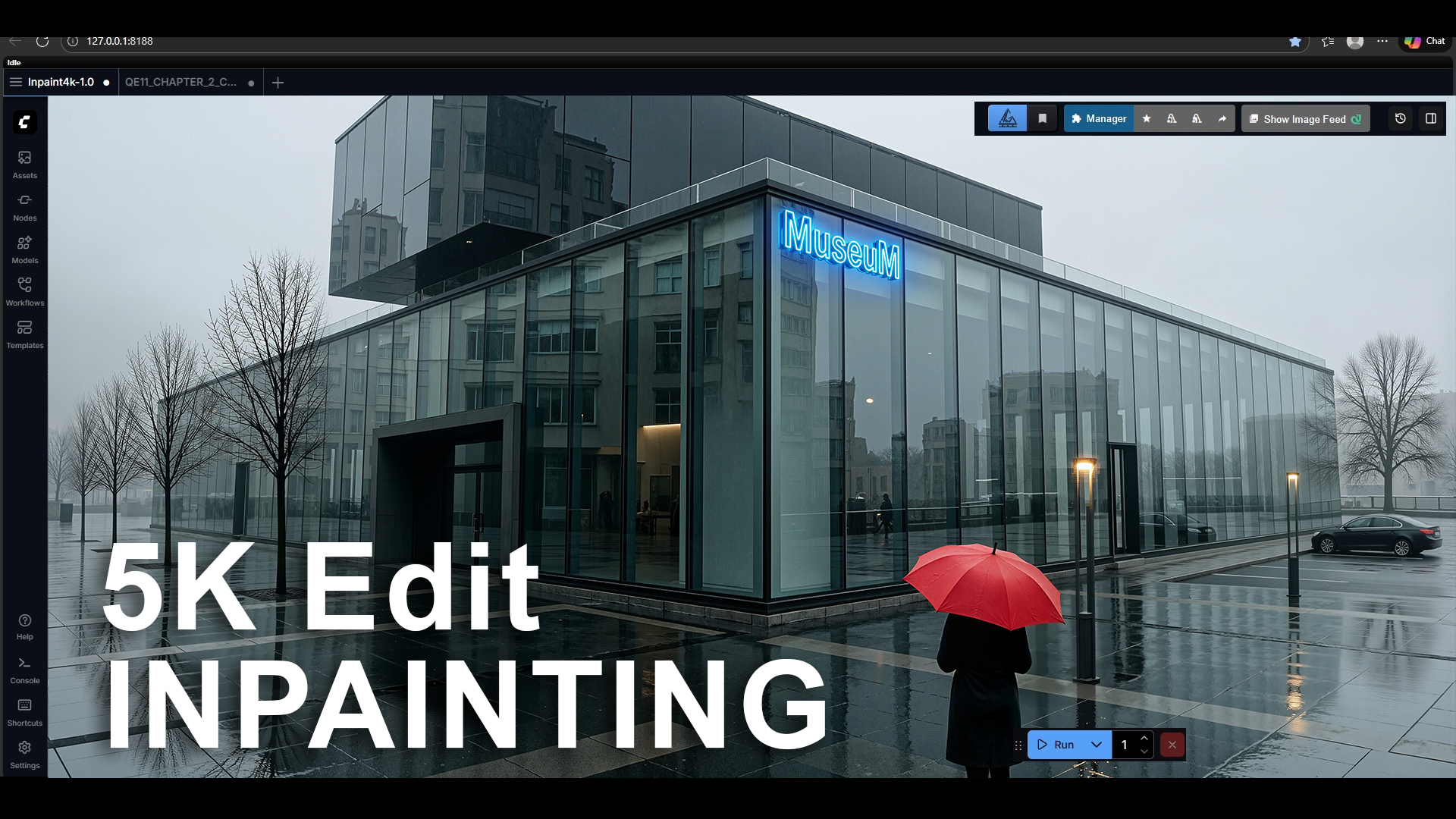
Edit and INPAINTING
Unlock advanced image editing tools: Prompting, Annotations, Latent mask, Inpainting
Use-case videos
https://www.youtube.com/@Fadihkacem
Pricing options
You can choose to split your payment over two months, or simply make one full payment at checkout—whichever works best for you.